Electricity in Japan: Plugs, Adaptors, 100V and Regional Frequency Differences

Japan needs a little electrical preparation. The common outlet accepts two flat blades, and the domestic supply is 100V. A compatible phone or laptop charger may need only a physical adaptor, while hair appliances and other equipment need separate checks. Do not infer voltage compatibility from a familiar-looking plug.
Recognising the plug and outlet
The common Type A outlet has two parallel slots and no earth connection. Earthed arrangements also exist, but do not assume every room has a socket that accepts a third pin. The photographs help identify the shape before choosing an adaptor.
Round-pin European plugs and three-pin British, Australian or Israeli plugs do not connect directly to the common outlet. Check that a Japan-compatible adaptor accepts your actual plug. “Universal” is not, by itself, proof of compatibility, a safety standard or a working earth connection.
100V with two regional frequencies
The normal domestic supply is 100V. Eastern Japan, including Tokyo, uses 50Hz; western Japan, including Nagoya, Kyoto and Osaka, uses 60Hz. Travelling between Tokyo and Kyoto does not change the physical adaptor, but frequency-sensitive equipment needs to support both.
A familiar North American-looking plug does not mean a 120V supply. Likewise, equipment designed only for 220–240V needs more consideration than a shape adaptor. Motor-driven devices and electric clocks may depend on frequency as well as voltage.
A Japanese outlet with two flat slots. It has no opening for the earth pin of a three-pin plug. · Batholith · Public domain · Unmodified

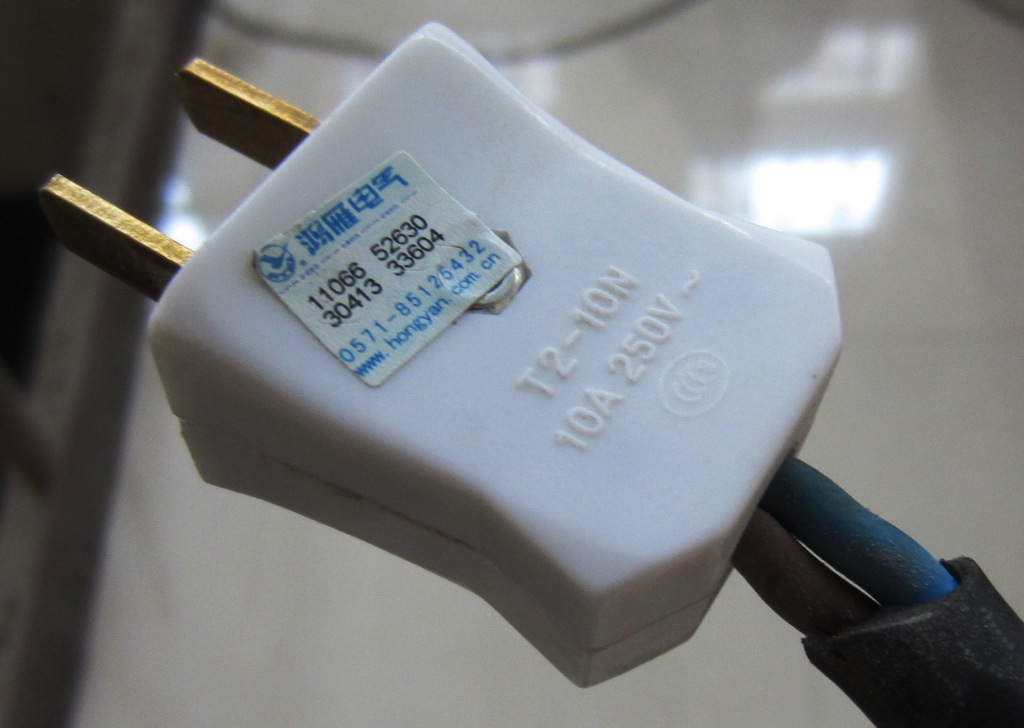
An example of the Type A shape: two parallel flat blades, without earth. This is a shape reference, not a plug photographed in Japan; the plug rating is not Japan’s 100V mains supply. · Wtshymanski · CC BY-SA 3.0 · Unmodified

Read INPUT on every charger
A marking such as INPUT 100–240V, 50/60Hz indicates compatibility with the ordinary supply in both regions, leaving physical connection and safety to check. A label beginning at 110V does not explicitly include Japan’s 100V; obtain manufacturer confirmation instead of assuming.
USB OUTPUT values such as 5V or 20V are not the mains input rating. Check each power supply separately, including camera, laptop and toothbrush chargers. One compatible phone charger says nothing about the other items in the bag.
An adaptor does not convert voltage
A shape adaptor neither raises 100V to 230V nor changes 50Hz into 60Hz. Equipment rated only 220–240V is not automatically suitable: it may work incorrectly, and guessing is not an appropriate test.
Ask the manufacturer for a suitable solution when an essential device is incompatible. A transformer must match input and output voltage, power demand and equipment type; it does not itself convert frequency. For a typical holiday, leaving an unsuitable bulky appliance at home and using local equipment is often simpler.
Hairdryers, straighteners and high-power appliances
A hairdryer, kettle or straightener is not equivalent to a phone charger. Even a dual-voltage appliance must include 100V and be set as directed before connection. The adaptor also has current and power limits that must not be exceeded.
Ask the accommodation about a locally compatible hairdryer or kettle rather than carrying an unsuitable one between hotels. Do not use a restricted-purpose outlet, a USB hub or a connection with unknown limits for high-power equipment.
Preserve a required earth connection
Equipment requiring earth must have a continuous suitable earth connection. A two-pin adaptor cannot provide it merely because its front accepts a three-pin plug. A square-within-a-square symbol indicates double insulation, but not every device has that design.
Never remove or bend a pin or improvise a wire-to-screw connection. Ask the accommodation or manufacturer for an approved solution if an earthed device has no suitable outlet. Stop using a loose socket or equipment showing scorch marks, damage or an unusual smell.
Charging several devices in a hotel room
A reputable multi-port USB charger rated 100–240V and 50/60Hz can consolidate compatible devices. Check both total output and how it is shared, particularly when charging a laptop. A spare cable and a second compact adaptor can help with awkwardly positioned or limited sockets.
Charge on a dry, ventilated surface, not beneath bedding or near a basin. Check whether outlets switch off when the room key card is removed. A charged power bank is useful on a long day, but check the airline’s current carriage rules before flying.
Outages and live information
Save offline maps and accommodation details before travel in areas affected by severe weather. If power fails in the room, contact the reception or host and establish whether it is local. Do not open electrical panels or touch wet or damaged equipment.
For the Tokyo area use the TEPCO outage map; for Kyoto and Osaka use Kansai outage information. These Japanese-language services update as information arrives, so a small or recent incident may not be shown immediately.
We stayed at RESI STAY Hotel SUN CHLORELLA on our Japan trip and recommend it. Compare rooms for your party, cancellation terms and whether the local accommodation tax is included. Rooms and prices on Trip.com